# Console Not Opening
**URL:** https://forum.codewithmosh.com/t/console-not-opening/24213
**Category:** JavaScript
**Created:** [December 21, 2023, 4:53pm UTC](https://forum.codewithmosh.com/t/console-not-opening/24213 "2023-12-21T16:53:27Z")
**Posts on this page:** 5
**Page:** 1
### Author:  [@Settings](https://forum.codewithmosh.com/u/Settings)
#### Post date: [December 21, 2023, 4:53pm UTC](https://forum.codewithmosh.com/t/console-not-opening/24213/1 "2023-12-21T16:53:27Z")
Hello guys, I am currently doing my course with Mosh, so far so good. However I am in the variables section, where he seems to open a console on the right hand side, when I try to do it, my option is greyed out and im unable to do it, it says that the shortcut is F11 but it makes Visual Studio go full screen, could you help me here please?

---
### Author:  [@JerryHobby](https://forum.codewithmosh.com/u/JerryHobby)
#### Post date: [December 21, 2023, 7:26pm UTC](https://forum.codewithmosh.com/t/console-not-opening/24213/2 "2023-12-21T19:26:01Z")
The challenge is that VSCode is highly configurable and Mosh has various extensions, etc. So which key brings up what might be different. F11 does not open a terminal on my machine either.
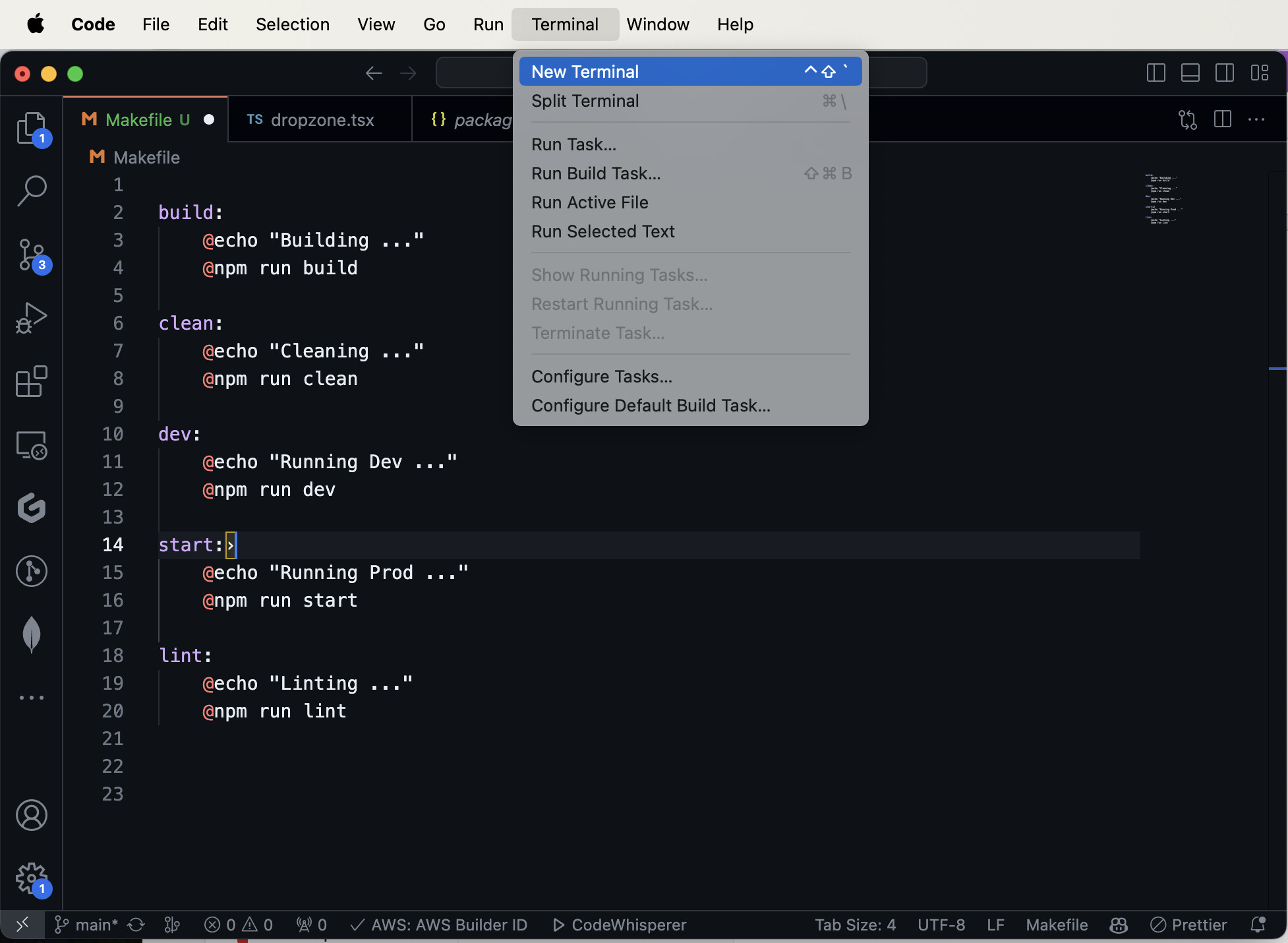
On the VSCode menu, click on Terminal – a drop down will appear. It will show you the “Open New Terminal” command and it will show the hot key assignment there.
As you can see in my screenshots – the hot-key for opening a NEW terminal is **Control-Shift-`**
Every time you hit that, you get an additional terminal, so you would get a bunch of terminal windows if you keep using this one.
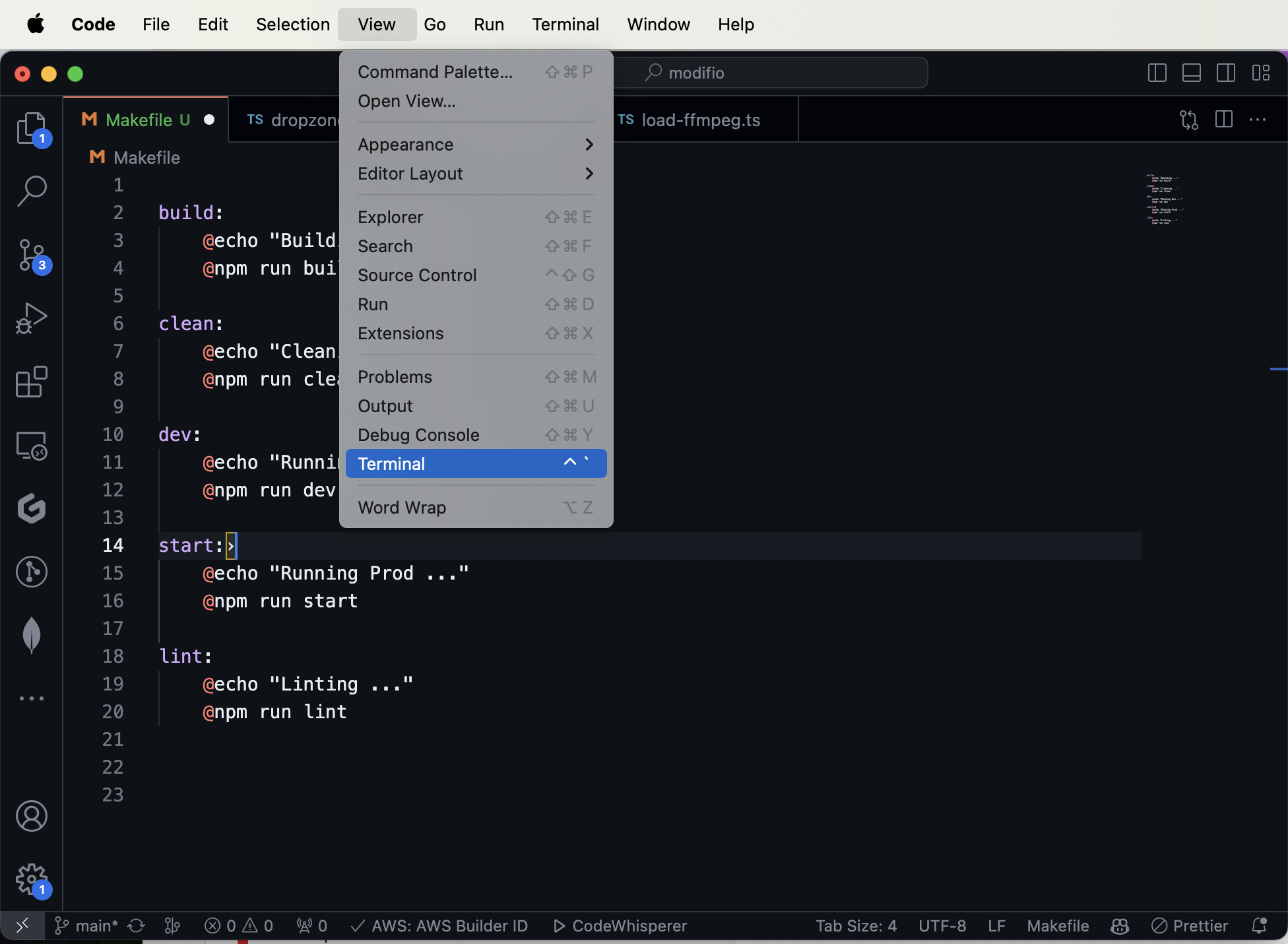
The second screen shot shows how to switch to your existing terminal window. That hot-key is **Control-`**
Again, you can see your hot-key assignments on the menu item. That way you can learn them.
Finally, in the third screenshot, you can see I have two terminals in split mode. On the right, the arrow points to the list of open terminals. If you keep using the New Terminal command, you’ll end up with a long list of terminals there. So it’s better to use the second hot-key, **Control-`** , just to switch to your already open consoles.

---
### Author:  [@MTownsend](https://forum.codewithmosh.com/u/MTownsend)
#### Post date: [December 22, 2023, 4:44am UTC](https://forum.codewithmosh.com/t/console-not-opening/24213/3 "2023-12-22T04:44:26Z")
console.log() is referring to the console found in the dev tools within a browser.
The terminal and console are totally different things. Google the name of the browser you are using along with ‘how to open the console’. You should get the information you are looking for.
---
### Author:  [@Settings](https://forum.codewithmosh.com/u/Settings)
#### Post date: [December 22, 2023, 4:41pm UTC](https://forum.codewithmosh.com/t/console-not-opening/24213/4 "2023-12-22T16:41:30Z")
Hello Jerry, thank you so muchm this ahs resolved my question an answered future ones as well!
I have managed to do it, TA!
---
### Author:  [@Settings](https://forum.codewithmosh.com/u/Settings)
#### Post date: [December 22, 2023, 4:42pm UTC](https://forum.codewithmosh.com/t/console-not-opening/24213/5 "2023-12-22T16:42:00Z")
Thank you foryour help!